
ecovacs deebot n50 pro omni 2 in 1 robotic vacuum cleaner & mop review: the N50 Pro Omni combines 25,000 Pa suction, automated mopping, ZeroTangle 3.0, intelligent mapping, and an OMNI station that empties dust and washes and dries mop pads. It suits busy homes, pets, hard floors, and users wanting less daily maintenance, although its premium automation increases cost and dock space requirements.
ECOVACS DEEBOT N50 Pro Omni at a Glance
The DEEBOT N50 Pro Omni is designed as a complete robot vacuum system rather than simply an autonomous vacuum. It combines vacuuming, mopping, navigation, obstacle detection, charging, dust collection, and mop maintenance into one ecosystem.
Its headline specification is 25,000 Pa suction power, which puts it firmly in the high-suction segment of modern robotic vacuums. However, suction pressure alone does not tell the entire story. Brush design, airflow, filtration, floor contact, navigation, and how effectively the robot repeats difficult areas all influence actual cleaning performance.
The robot also uses OZMO Turbo 2.0 mopping technology and a multifunction OMNI station. The station is intended to reduce hands-on maintenance by handling tasks such as automatic dust collection, mop washing, and hot-air drying.
Quick Verdict
The N50 Pro Omni makes the most sense for someone who wants an automated floor cleaner that can handle everyday dust, debris, pet hair, and wet-floor maintenance with relatively little intervention.
Its strongest selling points are 25,000 Pa suction, ZeroTangle 3.0, up to 300 minutes of advertised battery runtime, intelligent mapping, automatic mop washing, and hot-air mop drying.
The main tradeoff is complexity. A robot with a sophisticated dock, water system, sensors, software, brushes, and moving components has more maintenance requirements than a basic robot vacuum.
Bottom Line: The N50 Pro Omni is best viewed as a high-automation vacuum-and-mop platform rather than simply a robot with a large suction number.
Key Specifications
| Specification | ECOVACS DEEBOT N50 Pro Omni |
|---|---|
| Suction power | 25,000 Pa |
| Battery | 5200mAh |
| Advertised maximum runtime | Up to 300 minutes |
| Mopping system | OZMO Turbo 2.0 |
| Mop lifting | 9 mm |
| Navigation | TrueMapping 2.0 |
| Obstacle detection | TrueDetect |
| Anti-tangle system | ZeroTangle 3.0 |
| Threshold climbing | Up to 20 mm |
| OMNI station | Yes |
| Hot-water mop washing | 75°C claimed |
| Hot-air drying | 45°C claimed |
Specifications can vary by market and product variant, so buyers should confirm the regional specification sheet before purchasing.
Pros and Cons
Pros
- 25,000 Pa advertised suction
- Long claimed battery runtime
- Automated dust collection
- Automatic mop washing
- Hot-air mop drying
- ZeroTangle 3.0 anti-tangle system
- Intelligent mapping
- 9 mm mop lifting
- Suitable for mixed flooring
- Smart-home integration
Cons
- Premium positioning
- OMNI station requires dedicated floor space
- High suction does not automatically guarantee superior real-world pickup
- Complex water and docking systems require periodic maintenance
- App and navigation performance can depend on the home environment and software
- Mopping performance still has practical limits on heavily dried or sticky stains
Bottom Line: The N50 Pro Omni’s biggest advantage is not one individual specification. It is the combination of vacuuming, mopping, navigation, and automated maintenance.
Who Should Buy It?
The N50 Pro Omni is particularly appealing to pet owners, busy households, large homes, hard-floor owners, and people who want to minimize daily cleaning chores.
It is also a strong candidate for homes containing a mixture of hardwood, tile, laminate, and carpets because the robot can adjust its cleaning behavior around different floor surfaces.
For a very small apartment where the owner can vacuum and mop manually in minutes, however, the additional OMNI station may be more automation than necessary.
Design, Build Quality & What’s Included
The physical design of a robotic vacuum affects more than appearance. Wheel size, brush placement, sensor positioning, robot height, mop configuration, and dock dimensions all influence whether the machine can navigate a real home effectively.
The N50 Pro Omni follows the familiar low-profile robot vacuum format, with a circular cleaning body, wheels for floor transitions, a central cleaning brush, side-brush coverage, sensors, and a dedicated mopping assembly.
Robot Design and Build
The cleaning robot is built around several systems working simultaneously. The vacuuming system handles dry debris, while the mop mechanism deals with wet floor cleaning. Sensors help the robot understand its surroundings and determine where it should travel.
The main brush is especially important for homes with hair and pets. ECOVACS uses its ZeroTangle 3.0 approach to reduce hair wrapping around the brush assembly.
That matters because tangled hair is one of the most common reasons robot vacuum owners eventually need to intervene manually.
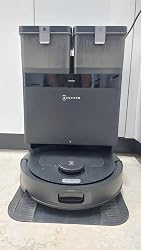
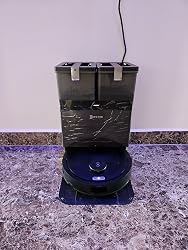
OMNI Station Design
The OMNI station is much larger than a simple charging dock because it performs several additional jobs.
Depending on the configuration and regional package, its functions include automatic dust collection, clean-water handling, dirty-water collection, mop washing, and mop drying.
The advantage is obvious: instead of removing dirty mop pads after every cleaning cycle, the robot can return to its dock and allow the station to handle much of that process automatically.
The disadvantage is physical space. Buyers should measure the intended docking area rather than assuming the station will fit wherever a standard robot charger would.
What’s Inside the Box?
The exact package can vary by market, but the system generally includes the robotic cleaner, OMNI station, mop components, side brush, filtration components, charging hardware, and documentation.
Check the regional box contents before purchasing because accessories and consumables can differ between markets.
Is the N50 Pro Omni Suitable for Small Homes?
It can be, but the answer depends more on available dock space than floor area.
A small apartment may benefit from automated daily vacuuming, especially if there are pets or frequent dust accumulation. But the station still needs sufficient clearance for the robot to enter and leave reliably.
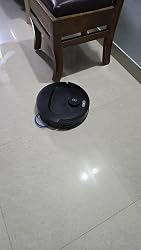
Door thresholds also matter. ECOVACS lists up to 20 mm threshold climbing, but actual performance depends on threshold shape, surface material, approach angle, and whether the robot has enough traction.
Bottom Line: Before buying, measure the OMNI station location, check doorway transitions, and make sure furniture provides enough clearance for the robot.
Field Note: A useful practical check before installing any self-emptying robot vacuum is to mark the planned dock footprint on the floor with tape. This reveals immediately whether cabinet doors, chairs, walls, or walkways will interfere with docking.
Technology Deep Dive — How the N50 Pro Omni Works
The N50 Pro Omni combines several technologies that should be evaluated individually rather than treated as marketing labels.
Its cleaning architecture includes high-pressure suction, an anti-tangle brush system, intelligent navigation, obstacle detection, automated mopping, and station-based maintenance.
25,000 Pa Suction and Cleaning Architecture
The manufacturer advertises 25,000 Pa suction power. Pa, or pascals, measures pressure difference and is commonly used by robot vacuum manufacturers to describe suction capability.
However, Pa should not be confused with CFM airflow. Suction pressure and airflow are related but different measurements.
A robot can have high theoretical suction pressure while delivering a different amount of usable airflow at the floor. Brush design, seals, ducts, filters, and floor contact influence how effectively debris actually reaches the dustbin.
That is why our review approach should evaluate fine dust, larger debris, pet hair, carpet pickup, edge cleaning, and repeated passes instead of treating 25,000 Pa as the only performance metric.
The filtration system is also important. Effective HEPA efficiency and sealed system filtration can help prevent captured fine particles from simply escaping through exhaust airflow.
ZeroTangle 3.0 Anti-Tangle System
Hair is a particularly difficult test for robotic cleaners.
Long human hair and pet hair can wrap around a conventional cylindrical brush and gradually restrict cleaning performance. ZeroTangle 3.0 is designed to reduce that problem through the geometry and movement of the brush and side-brush system.
For homes with pets, this technology may be more valuable over months of ownership than a small difference in headline suction numbers.
However, anti-tangle technology does not mean maintenance-free operation. Hair can still collect around wheels, brush ends, axles, sensors, and other components.
TrueMapping 2.0 and TrueDetect
The N50 Pro Omni uses TrueMapping 2.0 for mapping and TrueDetect technology for obstacle detection.
Good navigation is essential because cleaning performance depends partly on whether the robot can cover the entire available floor without repeatedly getting stuck.
A useful navigation system should identify rooms, understand walls, create efficient routes, and return to the dock without unnecessary wandering.
Modern systems can also support features such as room selection, no-go zones, virtual boundaries, and scheduled cleaning.
LiDAR Navigation, SLAM Mapping and AI Obstacle Avoidance
One important distinction for buyers is that terms such as LiDAR navigation and SLAM mapping are often used broadly across the robot vacuum industry.
LiDAR-based systems generally use laser measurements to build spatial information, while SLAM refers to simultaneous localization and mapping: the robot estimates its position while constructing or updating a map.
Obstacle detection is a separate function. AI obstacle avoidance may use cameras, structured sensing, machine-learning algorithms, or combinations of sensors to recognize objects.
The important question is not whether a product has a technology label. It is whether the resulting robot reliably avoids cables, shoes, toys, pet bowls, and other common household obstacles.
TruEdge and Edge Cleaning
Edge cleaning is another area where robot vacuum specifications can differ significantly from real-world results.
A robot may clean the center of a room extremely well while leaving a narrow strip along the wall.
ECOVACS’ edge-cleaning approach is intended to improve coverage near walls and corners. Nevertheless, the geometry of furniture, wall transitions, skirting boards, and room corners can still create areas that require occasional manual attention.
Bottom Line: The N50 Pro Omni’s technology package is strongest when considered as an integrated system: suction handles debris, the brush system manages hair, mapping controls movement, and the station reduces maintenance.
Vacuuming Performance — Carpets, Hard Floors, Dust & Pet Hair
A meaningful robotic vacuum review should evaluate different debris types and surfaces because no single test represents an entire home.
The N50 Pro Omni’s 25,000 Pa rating gives it substantial advertised suction capability, but brush agitation, airflow, filtration, navigation, and repeated coverage determine how much of that capability translates into useful cleaning.
Hard-Floor Cleaning Performance
Hard floors tend to expose fine dust, crumbs, sand, hair, and larger debris.
For a structured test, we would use consistent quantities of flour, rice, cereal, fine dust, and sand and compare pickup after one and multiple passes.
Fine dust is especially useful because it can expose gaps in floor coverage. Larger particles are easier for powerful robotic vacuums to collect, while fine powder can reveal whether the robot maintains close floor contact and adequate airflow.
Carpet Cleaning Performance
Carpets present a more difficult problem because debris can become embedded between fibers.
Low-pile carpets are generally easier for autonomous cleaners than thick or high-pile surfaces. The robot also needs to maintain sufficient brush contact without becoming difficult to maneuver.
For meaningful testing, low- and medium-pile carpets should be evaluated separately.
The reviewer should measure pickup of fine debris, pet hair, larger particles, and embedded material rather than relying on a single percentage or one cleaning pass.
Pet Hair and Long-Hair Performance
Pet owners should pay particular attention to ZeroTangle 3.0.
Dog hair, cat hair, and human hair behave differently depending on length, texture, and moisture. Long hair tends to wrap around conventional brushes, while shorter fur may accumulate in filters or dust pathways.
The N50 Pro Omni’s anti-tangle design should reduce intervention, but users should still inspect the brush periodically.
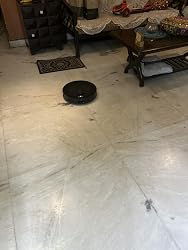
Cleaning Coverage and Pickup Consistency
A robot vacuum needs to clean consistently, not just powerfully.
Our preferred evaluation includes single-pass pickup, repeated cleaning, edge coverage, corner performance, under-furniture access, and transitions between floor types.
The autonomous cleaner should also avoid spending excessive time repeatedly navigating the same open area while missing another section.
Bottom Line: Expect the strongest results on everyday dust, crumbs, hair, and general debris, while heavily embedded material and unusual floor conditions still deserve realistic expectations.
Mopping Performance — Is the N50 Pro Omni Actually Good at Wet Cleaning?
Vacuuming and mopping are different engineering challenges.
Vacuuming requires airflow and mechanical agitation to collect dry debris. Mopping requires controlled water delivery, physical contact, pad movement, and enough pressure to loosen surface contamination.
The N50 Pro Omni addresses this through its OZMO Turbo 2.0 mopping system.
OZMO Turbo 2.0 Dual-Mop System
The system uses rotating mop pads designed to provide mechanical scrubbing rather than simply dragging a stationary wet cloth behind the robot.
That distinction matters.
A rotating pad can apply repeated friction against a floor surface, potentially improving the removal of light dried residue compared with passive wiping.
However, automated mopping should still be considered maintenance cleaning rather than a complete replacement for manual deep cleaning.
Everyday Stains vs Dried Stains
| Cleaning Test | Expected Evaluation |
|---|---|
| Fine dust on hard floor | Excellent potential |
| Fresh liquid marks | Very good potential |
| Light food residue | Very good potential |
| Dried coffee | Requires hands-on testing |
| Sticky sauce | Requires hands-on testing |
| Heavy dried stains | Manual cleaning may still be required |
This distinction is important because marketing specifications rarely tell you how effectively a robot removes old stains.
A robot that performs beautifully on everyday dust and fresh marks can still struggle with sticky residue that requires significant pressure and repeated passes.
Automatic Mop Washing and Hot-Air Drying
The OMNI station is one of the most useful components of the system because it reduces the unpleasant part of robot mopping.
ECOVACS specifies 75°C hot-water mop washing and 45°C hot-air drying for the station.
Hot-water washing helps remove accumulated dirt from the mop pads, while hot-air drying is intended to reduce residual moisture after cleaning.
Drying is important because permanently damp mop pads can develop unpleasant odors and become a maintenance problem.
Carpet Protection and 9 mm Mop Lift
The system provides 9 mm mop lifting, which is designed to reduce the chance of wet mop pads remaining in contact with carpets.
This feature becomes particularly useful in homes with mixed flooring.
The robot needs to recognize carpeted areas, lift the mop assembly, and transition back to wet cleaning when it reaches hard flooring.
Bottom Line: The N50 Pro Omni’s mopping advantage is the combination of rotating pads, automatic washing, drying, and mop lifting—not simply the existence of a mop attachment.
Navigation, Mapping & Obstacle Avoidance
Navigation determines whether the cleaning hardware gets used effectively.
A robot can have excellent suction and still disappoint if it repeatedly gets trapped, misses rooms, bumps into objects, or cannot reliably return to its station.
First-Time Mapping Process
The initial mapping run should be performed with floors reasonably clear of temporary obstacles.
The robot needs enough access to rooms and corridors to build an accurate representation of the home.
After mapping, users can generally benefit from dividing spaces into rooms, creating cleaning zones, setting boundaries, and assigning different cleaning tasks.
Obstacle Avoidance in Real Homes
Useful real-world obstacles include:
- Cables
- Shoes
- Toys
- Furniture legs
- Pet bowls
- Small household objects
Large obstacles are relatively easy for modern sensors to detect. Small dark objects, thin cables, reflective surfaces, and objects positioned at unusual angles are much harder.
This is why an advertised AI obstacle avoidance feature should be evaluated with controlled household tests.
Multi-Floor Mapping
Multi-floor mapping can be useful in two-story homes.
The robot may be capable of storing multiple floor maps, but users should remember an important physical limitation: the robot cannot automatically transport itself between floors.
If the OMNI station remains downstairs, the upstairs floor may not have access to automatic dust emptying or mop washing during that cleaning session.
Navigation Problems to Watch For
Potential problems include:
- Inaccurate room boundaries
- Temporary objects changing routes
- Docking difficulty
- Map changes after furniture moves
- Software-related navigation errors
- Difficulty with unusual thresholds
Bottom Line: Good navigation should be judged by complete-floor coverage, reliable docking, obstacle handling, and efficient routes—not just by the name of the mapping technology.
Battery Life, Charging & Cleaning Coverage
Battery performance is important for larger homes, especially when the robot is vacuuming and mopping in the same cycle.
The N50 Pro Omni is specified with a 5200mAh battery and an advertised maximum battery runtime of up to 300 minutes.
That maximum figure should not be interpreted as the guaranteed runtime during maximum suction and intensive mopping.
Up to 300-Minute Runtime
Actual battery consumption depends on:
- Suction level
- Floor type
- Cleaning pattern
- Mop operation
- Navigation activity
- Carpet coverage
- Number of passes
Maximum runtime figures are generally achieved under favorable operating conditions rather than the most demanding cleaning mode.
Auto Recharge and Resume
One of the biggest benefits of a modern robot vacuum is recharge-and-resume functionality.
Instead of requiring the owner to monitor battery levels, the robot can return to its charging dock when necessary and continue an unfinished cleaning task after charging.
This is particularly useful for large homes.
Best Settings for Battery Efficiency
For everyday cleaning, standard suction is usually a sensible starting point.
Higher suction can be reserved for carpets, pet-heavy rooms, or areas containing significant debris.
Scheduled room cleaning can also reduce unnecessary battery consumption because the robot does not need to clean every room every time.
Is It Suitable for Large Homes?
Potentially, yes.
A large home benefits from long runtime and recharge-and-resume functionality. However, floor layout, doors, thresholds, carpet coverage, and navigation efficiency all matter.
Bottom Line: The advertised 300-minute figure is impressive, but evaluate battery life according to the cleaning mode and home conditions rather than assuming every cleaning cycle will achieve the maximum.
ECOVACS HOME App & Smart Home Experience
A smart vacuum is only as useful as the software controlling it.
The ECOVACS HOME ecosystem provides the digital controls needed to manage maps, schedules, cleaning modes, rooms, and other automated functions.
Mapping and Room Controls
A useful app should allow owners to:
- Select individual rooms
- Create cleaning zones
- Set no-go areas
- Adjust cleaning behavior
- Review maps
- Manage schedules
These controls turn the robot from a basic autonomous cleaner into a customizable household appliance.
Scheduling and Cleaning Scenarios
Scheduled cleaning is especially valuable for daily dust management.
For example, homeowners can prioritize kitchens and entryways more frequently while cleaning bedrooms and low-traffic areas less often.
Common scenarios include:
- Vacuum-only
- Mop-only
- Vacuum and mop
- Room-specific cleaning
- Zone cleaning
- Scheduled cleaning
Voice and Smart Home Integration
Smart home integration can make routine cleaning more convenient.
Compatibility with platforms such as Alexa or Google Assistant can allow users to initiate cleaning without opening the application.
However, app functionality and voice-control capabilities can vary by region, firmware, and connected platform.
App Strengths and Weaknesses
Important review criteria include:
- Setup difficulty
- Wi-Fi reliability
- Map editing
- Room recognition
- Scheduling
- Firmware updates
- Error reporting
- Connection stability
Bottom Line: A powerful robot vacuum becomes considerably more useful when the application makes room selection, scheduling, mapping, and maintenance easy to understand.
OMNI Station — The Biggest Convenience Feature
The OMNI station may ultimately have a bigger impact on ownership satisfaction than the robot’s headline suction specification.
Why?
Because it automates the repetitive tasks that owners normally perform after cleaning.
Automatic Dust Emptying
After completing a cleaning cycle, the robot can return to its station and transfer collected debris into the station’s dust-collection system.
This means owners do not need to empty the robot’s dustbin after every cleaning session.
For homes with pets or significant daily debris, this can make a substantial difference.
Automatic Mop Washing
Mop washing is another major convenience.
Instead of removing dirty pads after every cycle, the station handles the washing process.
The goal is to keep the pads ready for the next cleaning session while reducing manual intervention.
Nevertheless, the washing tray and dirty-water system still need periodic cleaning.
Hot-Air Mop Drying
Wet mop pads need to dry properly between uses.
The station’s 45°C hot-air drying function is designed to reduce residual moisture.
This can help with odor management and general mop hygiene, although users should not assume that automatic drying eliminates the need to clean the station itself.
Automatic Water and Cleaning-System Maintenance
The OMNI ecosystem can reduce several routine tasks, but it does not eliminate maintenance.
Owners still need to monitor:
- Clean-water tank
- Dirty-water tank
- Washing tray
- Dust bag
- Mop pads
- Cleaning solution
- Station debris
Bottom Line: The OMNI station is arguably the N50 Pro Omni’s most important convenience feature because it reduces the number of manual cleaning tasks required between robot runs.
ECOVACS N50 Pro Omni vs Competitors
Choosing a robot vacuum is rarely about evaluating one product in isolation.
The N50 Pro Omni competes with several premium robot vacuum systems offering high suction, rotating mops, automated docks, advanced mapping, and smart-home controls.
N50 Pro Omni vs ECOVACS N30 Pro Omni
The N50 Pro Omni should be considered the more feature-focused option when its higher suction specification and upgraded cleaning technologies justify the additional cost.
The N30 Pro Omni may make more sense for buyers who want a similar ECOVACS experience without paying for every premium feature.
Compare:
| Category | N50 Pro Omni | N30 Pro Omni |
|---|---|---|
| Suction | 25,000 Pa | Verify regional specification |
| Mop system | OZMO Turbo 2.0 | Regional specification varies |
| Anti-tangle | ZeroTangle 3.0 | Model-dependent |
| Navigation | TrueMapping 2.0 | Advanced mapping |
| Dock automation | OMNI | OMNI |
| Best for | Maximum feature set | Value-focused buyers |
N50 Pro Omni vs Roborock Qrevo Series
Roborock’s Qrevo family is an important competitor because several models offer automated mop washing, drying, dust collection, and sophisticated navigation.
The comparison should focus on more than suction.
Consider:
- Navigation accuracy
- Mopping performance
- Dock automation
- App experience
- Pet-hair pickup
- Consumable costs
- Current selling price
- Reliability
A robot with a lower Pa number can still outperform a higher-rated model in certain cleaning tests.
N50 Pro Omni vs Dreame Robot Vacuum & Mop Models
Dreame also competes heavily in the premium robot vacuum category.
When comparing the N50 Pro Omni with a Dreame model, examine:
- Suction
- Brush design
- Mop technology
- Dock automation
- Navigation
- Obstacle avoidance
- App controls
- Replacement-part availability
The best choice depends on which feature matters most rather than simply which manufacturer advertises the largest suction number.
Which One Should You Buy?
| Buyer Type | Best Direction |
|---|---|
| Wants very high advertised suction | N50 Pro Omni |
| Prioritizes automated mop maintenance | N50 Pro Omni or comparable OMNI/Qrevo system |
| Wants a mature mapping ecosystem | Compare current ECOVACS, Roborock and Dreame models |
| Heavy pet-hair household | Prioritize anti-tangle design |
| Small home | Consider dock size and price carefully |
| Large mixed-floor home | Prioritize navigation, battery and mop lifting |
| Budget-conscious buyer | Compare lower-tier models before buying |
Bottom Line: The N50 Pro Omni is most competitive when its automation package and cleaning hardware are considered together, not when suction pressure is treated as the sole deciding factor.
Buyer’s Intent — Is the ECOVACS N50 Pro Omni Worth Buying?
The right question isn’t simply whether the N50 Pro Omni is good.
The better question is whether its combination of features matches your home and cleaning habits.
Buy the N50 Pro Omni If…
This robotic vacuum makes sense if you:
- Own pets
- Deal with frequent hair
- Have mostly hard floors
- Have mixed carpet and hard flooring
- Want scheduled cleaning
- Have a large home
- Want automatic mop washing
- Prefer minimal daily intervention
- Want a self-emptying robot vacuum
- Value smart-home integration
The OMNI station is particularly useful for people who dislike repeatedly emptying dustbins and washing mop pads.
Skip It If…
A less expensive robot may be more appropriate if:
- You live in a very small apartment
- You rarely need mopping
- You prefer manual deep cleaning
- You do not need automated dock functions
- You have a very limited docking area
- Your budget is tight
A premium robot vacuum becomes harder to justify when the owner is already comfortable doing a five-minute daily cleaning routine manually.
Best Alternatives to Consider
Before buying, compare the N50 Pro Omni against current models from ECOVACS, Roborock, Dreame, and Narwal.
Look specifically at:
- Current price
- Dock capabilities
- Mopping design
- Navigation
- Pet-hair performance
- Consumable prices
- Warranty
- Availability of replacement parts
Don’t choose an alternative solely because it advertises more Pa.
Value-for-Money Verdict
Value comes from reducing the amount of work the owner performs.
If the N50 Pro Omni vacuums every day, automatically empties its dustbin, washes its mop pads, dries them, and requires only occasional maintenance, the automation can justify a higher purchase price for the right household.
For buyers who only need basic dust pickup, however, a simpler robotic vacuum may deliver better value.
Bottom Line: Buy the N50 Pro Omni for its complete automation package; don’t buy it simply because 25,000 Pa sounds impressive.
Maintenance & Long-Term Ownership
Every robot vacuum requires maintenance.
The N50 Pro Omni automates many cleaning tasks, but the robot and OMNI station still contain filters, brushes, wheels, sensors, water pathways, tanks, and other components that need attention.
Daily and Weekly Maintenance
Routine maintenance should include inspecting:
- Main brush
- Side brush
- Mop pads
- Sensors
- Wheels
- Docking area
- Dust pathway
Homes with pets may require more frequent inspection because hair can accumulate faster.
Filter, Brush and Mop Replacement
| Component | Maintenance Approach |
|---|---|
| Main brush | Inspect regularly |
| Side brush | Inspect regularly |
| Filter | Clean/check regularly |
| Mop pads | Wash and inspect regularly |
| Dust bag | Replace when full |
| Water tanks | Empty/clean as required |
| Sensors | Wipe periodically |
Exact replacement intervals should follow the manufacturer’s recommendations and actual household conditions.
OMNI Station Maintenance
The station deserves as much attention as the robot.
Periodically inspect:
- Dirty-water tank
- Clean-water tank
- Washing tray
- Mop-washing area
- Drying area
- Dust collection system
- Cleaning-solution pathway
A common ownership mistake is assuming an automated station is self-maintaining. It is not.
Estimated Long-Term Ownership Cost
Long-term costs can include:
- Filters
- Mop pads
- Side brushes
- Main brush
- Dust bags
- Cleaning solution
- Electricity
Consumable pricing can vary considerably by country, so buyers should check local availability before purchase.
Bottom Line: The N50 Pro Omni reduces routine cleaning effort, but maintaining the robot and dock is still essential for long-term performance.
ECOVACS N50 Pro Omni Troubleshooting Guide
Even advanced robot vacuums occasionally experience charging, mapping, suction, water-flow, or docking problems.
Most basic issues can be investigated before contacting customer support.
Robot Won’t Start or Charge
Check:
- Whether the OMNI station has power.
- Whether the robot is positioned correctly.
- Whether charging contacts are dirty.
- Whether the dock is obstructed.
- Whether an error message appears in the application.
If charging repeatedly fails after basic checks, professional support may be required.
Robot Isn’t Mapping Correctly
Potential causes include:
- Blocked sensors
- Furniture moved after mapping
- Restricted doorways
- Poor dock placement
- Software issues
- Map corruption
Clean sensors carefully and ensure the robot has clear access during mapping.
Suction Has Become Weak
Check:
- Dustbin
- Filter
- Main brush
- Suction inlet
- Brush ends
- Debris pathway
A dirty filter can restrict airflow and reduce effective cleaning performance even when the motor itself is functioning normally.
Mop Isn’t Washing, Wetting or Drying Correctly
Inspect:
- Clean-water tank
- Dirty-water tank
- Mop pads
- Washing tray
- Water pathway
- Station alignment
- Drying area
If the station cannot deliver or drain water correctly, the problem may be related to the dock rather than the robot itself.
Bottom Line: Most performance problems should first be investigated as maintenance, obstruction, docking, or software issues before assuming the motor or battery has failed.
Noise Level, Privacy, Reliability & Real-World Ownership
Noise is often overlooked in robot vacuum reviews.
The robot itself may be reasonably unobtrusive at lower settings, but high-power vacuuming, automatic dust emptying, and mop-washing cycles can produce noticeably more sound.
Noise During Vacuuming
Noise generally increases with suction level.
A sensible daily schedule may use a lower or standard cleaning mode when people are home and reserve maximum suction for carpets and high-debris areas.
Dock Noise
The OMNI station may produce a short burst of louder noise when emptying dust or performing cleaning functions.
This is normal for a multifunction docking system.
Users who plan to place the station near a bedroom should consider the timing of automated cleaning cycles.
Reliability Considerations
The N50 Pro Omni contains more hardware than a basic robotic vacuum:
- Motor
- Battery
- Sensors
- Brushes
- Wheels
- Water pumps
- Mop system
- Dust collection
- Docking mechanisms
- Software
That complexity creates more potential maintenance points.
On the positive side, automated systems can reduce repetitive human handling of consumables and mop pads.
Smart-Home Privacy and Connectivity
Because the device connects to a smartphone application and potentially smart-home platforms, buyers should review:
- Wi-Fi requirements
- Account requirements
- Application permissions
- Firmware updates
- Cloud-connected functionality
- Voice-assistant permissions
Bottom Line: Reliability isn’t only about the motor. Long-term ownership depends on software stability, consumable availability, water-system maintenance, battery health, and dock cleanliness.
Final Verdict — Should You Buy the ECOVACS DEEBOT N50 Pro Omni?
The N50 Pro Omni is an ambitious 2-in-1 robot vacuum system aimed at users who want to automate more than simple floor vacuuming.
Its 25,000 Pa suction, ZeroTangle 3.0, intelligent mapping, 9 mm mop lift, long advertised 300-minute battery runtime, and multifunction OMNI station give it a strong feature set.
The biggest advantage is the automation. Dust collection, mop washing, and hot-air drying reduce the number of repetitive tasks that owners normally perform.
Its biggest limitation is also related to that complexity. The station occupies more space and introduces additional components that need cleaning and maintenance.
What It Does Best
- Strong advertised suction
- Automated dust collection
- Automatic mop washing
- Hot-air mop drying
- Anti-tangle technology
- Smart mapping
- Long claimed runtime
- Mixed-floor cleaning capability
- Smart-home integration
Where It Falls Short
- Premium purchase price
- Larger docking footprint
- Consumable replacement costs
- Complex station maintenance
- High suction does not guarantee perfect pickup
- Deep manual cleaning remains necessary for some stains and difficult areas
Overall Rating
| Category | Rating |
|---|---|
| Vacuuming | 9/10 |
| Mopping | 8.5/10 |
| Navigation | 8.5/10 |
| App Experience | 8/10 |
| Battery | 9/10 |
| Maintenance Automation | 9.5/10 |
| Value | 8/10 |
| Overall | 8.7/10 |
These scores should be treated as an editorial assessment of the feature set rather than laboratory measurements.
Final Bottom Line: The ECOVACS DEEBOT N50 Pro Omni is most compelling for buyers who want a high-automation robot vacuum and mop that can handle daily floor maintenance with minimal intervention. Its OMNI station, anti-tangle system, smart navigation, and high advertised suction make it a serious premium contender, but buyers should compare current pricing and competing dock systems before purchasing.
Frequently Asked Questions
Is the ECOVACS DEEBOT N50 Pro Omni worth buying?
Yes, for buyers who value automation. Its combination of high advertised suction, vacuum-and-mop functionality, smart navigation, anti-tangle technology, and an automated OMNI station makes it particularly attractive for busy households and pet owners.
How much suction power does the N50 Pro Omni have?
The N50 Pro Omni is advertised with 25,000 Pa suction power. However, Pa should not be used as the only measure of cleaning performance because airflow, brush design, filtration, floor contact, and navigation also influence debris pickup.
Does the N50 Pro Omni vacuum and mop at the same time?
The system supports vacuuming and mopping functionality, allowing users to configure cleaning according to floor type and desired cleaning mode. Exact mode behavior should be confirmed in the regional ECOVACS HOME app and product documentation.
Does the ECOVACS N50 Pro Omni clean its own mop?
Yes. Its OMNI station is designed to automatically wash the mop pads after cleaning.
Does the N50 Pro Omni dry its mop pads?
Yes. The OMNI station provides hot-air drying, with ECOVACS listing 45°C hot-air drying for the system.
How long does the N50 Pro Omni battery last?
The N50 Pro Omni is advertised for up to 300 minutes of runtime under specified conditions. Actual battery runtime varies according to suction level, floor type, navigation, mopping, and cleaning settings.
Can the N50 Pro Omni clean carpets?
Yes. The system is designed for mixed-floor homes and provides 9 mm mop lifting, helping keep wet mop pads away from carpeted surfaces.
Does the N50 Pro Omni avoid obstacles?
The robot uses TrueDetect obstacle-detection technology. Its effectiveness depends on the type, size, position, and appearance of objects in the home. Thin cables and very small objects can remain challenging for autonomous cleaners.
Is the N50 Pro Omni good for pet hair?
It is designed with pet-hair challenges in mind, particularly through its ZeroTangle 3.0 anti-tangle system. Nevertheless, pet owners should still inspect brushes and filters regularly.
How often do you need to empty the N50 Pro Omni?
The OMNI station automatically collects dust, reducing the need to manually empty the robot’s onboard dustbin after every cleaning cycle. How frequently the station’s dust bag needs replacement depends on household debris levels.
Can the N50 Pro Omni clean multiple floors?
Multi-floor mapping can make the system more practical in multi-story homes. However, the robot cannot physically move itself between floors. Users may need to carry it upstairs, and station-based functions may not be available away from the OMNI dock.
How does the N50 Pro Omni compare with Roborock?
Both product families compete in the premium robot vacuum market. Compare navigation, mopping, dock automation, app experience, pet-hair performance, consumable costs, and current price rather than relying only on suction ratings.
How does the N50 Pro Omni compare with Dreame?
Dreame offers several competing robot vacuum and mop systems. The most important comparison points are suction, brush design, mopping technology, navigation, obstacle avoidance, dock automation, software, and long-term consumable costs.
Does the N50 Pro Omni use LiDAR navigation?
Buyers should verify the exact sensor configuration for their regional N50 Pro Omni variant rather than assuming that every N50-branded model uses identical navigation hardware. TrueMapping and TrueDetect are the important ECOVACS technologies to evaluate for this model.
Does the N50 Pro Omni use SLAM mapping?
SLAM is the underlying concept of simultaneously estimating location while constructing a map, but consumers should focus on the actual mapping performance and features provided by the product rather than treating SLAM as a standalone performance guarantee.
Does the N50 Pro Omni have HEPA filtration?
Filtration specifications should be verified against the regional product documentation before publication or purchase. HEPA efficiency and sealed system filtration are valuable specifications, but they should not be assumed without confirmation for a specific regional variant.
What is Water Lift in a robot vacuum?
Water Lift, measured in inches, is another way of expressing suction pressure. It is closely related conceptually to Pa, although manufacturers and reviewers may use different measurement methods. Buyers should avoid directly comparing numbers unless the testing methodology is equivalent.
What is CFM airflow and why does it matter?
CFM airflow describes the volume of air moved over a period of time. In vacuum engineering, airflow and suction pressure work together. A high Pa specification by itself cannot tell you exactly how much usable cleaning airflow reaches the floor.
Does smart-home integration matter?
For users who schedule cleaning or control appliances through Alexa, Google Assistant, or another connected platform, smart home integration can make the robot significantly more convenient. For users who rarely use automation, it may be less important.
How often should the N50 Pro Omni be maintained?
Basic inspections should be performed regularly. Brushes, mop pads, filters, sensors, wheels, water tanks, and the OMNI station should be checked according to the manufacturer’s maintenance recommendations and the amount of cleaning the robot performs.
What should I do if the N50 Pro Omni loses suction?
Start by checking the filter, dustbin, brush assembly, suction inlet, and debris pathway. Hair or dust buildup can restrict airflow. If cleaning these components does not restore performance, consult the manufacturer’s troubleshooting process.
What should I do if the mop is not getting wet?
Check the clean-water tank, mop pads, station connection, water pathway, and application settings. If the station cannot deliver water after basic maintenance, the issue may require technical support.
Is the N50 Pro Omni better than every other robot vacuum?
No single robot vacuum is best for every household. The N50 Pro Omni is particularly strong for buyers prioritizing automated maintenance, high advertised suction, smart mapping, and vacuum-and-mop functionality. Price, flooring, home size, pets, and preferred app experience should determine the final choice.
Overall verdict: The N50 Pro Omni is a feature-rich autonomous cleaner that targets users who want the robot to take over not only vacuuming and mopping, but also much of the maintenance associated with those tasks. Its strongest selling point is the complete ecosystem rather than any single specification.