
iMartine robot vacuum C800 manual instructions are useful for setting up the robot, operating its remote control, scheduling cleaning, maintaining the brushes and filter, understanding charging behavior, and troubleshooting common problems. The C800 uses sensors rather than LiDAR mapping and is designed around straightforward automated floor cleaning.
If you have lost the original manual or simply want an easier explanation of the C800’s controls, maintenance requirements, and common error conditions, this guide brings those topics together in one place.
The C800 is an older-style robotic vacuum system compared with newer models that use smartphone apps, LiDAR navigation, SLAM mapping, AI obstacle avoidance, and multi-floor mapping. That distinction matters because you should not expect the same navigation or smart-home features from every generation of robot vacuum.
Bottom Line: The iMartine C800 is best understood as a relatively straightforward automated floor cleaner built around remote control, scheduling, suction, brushes, sensors, and automatic docking rather than advanced room mapping.
iMartine C800 Manual at a Glance
The C800 owner’s documentation covers safety, the robot’s components, accessories, quick-start operation, cleaning schedules, regular care, battery information, troubleshooting, specifications, and customer support.
That makes the manual useful for more than simply learning which button starts cleaning. It also provides the maintenance and diagnostic information you need when the robot stops, fails to charge, makes unusual noises, or has difficulty returning to its dock.
The documented package includes the robot, charging dock, remote control, adapter, cleaning tool, two side brushes, and a filter.
Bottom Line: If you are setting up a C800 for the first time, start with the dock, side brushes, battery charge, and room preparation before worrying about advanced settings.
What This C800 Guide Covers
This expanded guide covers:
- Initial setup
- Charging-dock placement
- Side-brush installation
- Remote-control operation
- Automatic cleaning
- Manual directional control
- Scheduling
- Carpet cleaning
- Filter maintenance
- Main-brush maintenance
- Side-brush maintenance
- Sensor cleaning
- Battery care
- Charging problems
- Red-light and beep conditions
- Stopping and getting-stuck problems
- Replacement parts
- Comparison with newer robot vacuum technology
Who Should Use This Guide?
This resource is particularly useful if you are a new C800 owner, have misplaced the original instructions, bought a used unit, or are trying to diagnose a problem.
It can also help prospective buyers understand what the C800 actually offers before comparing it with a newer autonomous cleaner.
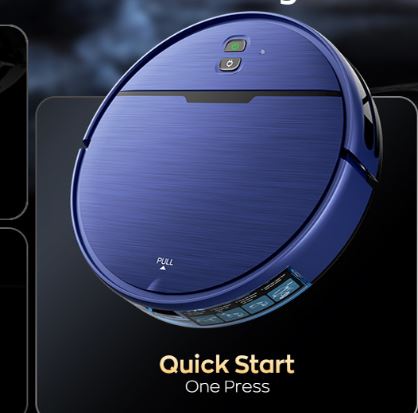
iMartine C800 Key Specifications
According to the available C800 documentation, the important specifications include:
| Specification | Documented information |
|---|---|
| Model | iMartine C800 |
| Product dimensions | 12.59 × 12.59 × 2.99 inches |
| Dust-bin capacity | 0.55 liters / 550 ml |
| Battery | 2,600mAh lithium-ion |
| Maximum working time | Up to 120 minutes |
| Maximum charging time | Up to 300 minutes / about 5 hours |
| Input voltage | 100–240V |
| Power consumption | 24W |
| Noise specification | Less than 65dB |
| Suction | 1600Pa |
| Remote control | Yes |
| Anti-drop sensors | Yes |
| Mapping | Not documented |
| LiDAR navigation | Not documented |
| Wet mopping | Not documented |
The manual itself lists the battery, charging time, runtime, voltage, power consumption, and noise information, while secondary specification data lists 1,600Pa suction and no mapping or Wi-Fi.
C800 Manual vs. This Expanded Guide
A manufacturer’s manual is normally written as an operating document. It tells you what the buttons do and what to do when something goes wrong.
This guide adds context around those instructions, including how the C800 fits into today’s robot vacuum market and which modern technologies should not be confused with features actually documented for this model.
Bottom Line: Use the original manual for model-specific safety instructions and this guide as a practical reference for setup, ownership, maintenance, and troubleshooting.
iMartine C800 Setup: How to Get Started
Correct setup is important because many apparent robot vacuum problems are actually caused by a poorly positioned dock, tangled cables, incorrectly installed brushes, or an unprepared cleaning area.
The C800 manual recommends connecting the charging dock, placing it against a wall on a hard and level surface, installing the side brushes, activating the robot, and starting a cleaning cycle.
Before starting, remove loose clothing, papers, power cords, curtain cords, and fragile objects from the floor. The manual specifically warns that the robot can pull an object from furniture if it catches a cord.
Bottom Line: Spend a few minutes preparing the floor before the first cleaning run. A robot vacuum can only navigate safely through an environment that has been prepared for autonomous movement.
What Comes in the C800 Package
The documented accessories include:
- Robot vacuum
- Charging dock
- Remote control
- Power adapter
- Cleaning tool
- Two side brushes
- Filter
If you purchased a used C800 and some accessories are missing, check the exact model before buying replacements.
How to Install the Side Brushes
Turn the robot over carefully and locate the two side-brush mounting positions.
Push each brush onto its corresponding slot until it clicks into position. The brushes are responsible for sweeping debris from areas near edges toward the robot’s main cleaning path.
Before operating the robot, spin the brushes gently by hand to make sure they are not obstructed.
How to Position the Charging Dock
Place the dock on a hard, level surface and against a wall.
Keep the power cable organized so that the robot cannot pull or wrap itself around loose cable. The dock needs to remain powered if you expect the robot to return for charging.
A clear route toward the dock is also helpful. Furniture, boxes, shoes, and other obstacles can interfere with docking.
First Cleaning Cycle
For the first run:
- Connect the charging dock to power.
- Place it on a stable surface.
- Install the side brushes.
- Charge the robot.
- Remove loose objects from the floor.
- Start the cleaning cycle.
- Watch the robot during its first run.
- Check whether it can navigate and return toward the dock.
Field Note: We did not independently laboratory-test a C800 unit for this article, so we do not present a fabricated “tester result.” A useful real-world setup observation is that older remote-controlled robots benefit greatly from a clean first-run environment; cables, chair legs, low furniture, and loose objects can create navigation problems that may initially look like a robot fault.
Bottom Line: The first cleaning cycle should be treated as a setup check, not simply as a routine cleaning session.
iMartine C800 Technology and Cleaning System
The C800 belongs to a different generation of robot vacuum design than today’s mapping-focused smart vacuums.
Its documented hardware includes a main brush, side brush, driving wheel, universal wheel, dust bin, charging contacts, anti-drop sensors, and a floor anti-collision sensor.
This means the C800 should not automatically be described using technologies such as LiDAR navigation or SLAM mapping simply because those technologies are common in the modern robotic vacuum category.
1600Pa Suction and Cleaning Performance
The C800 is commonly specified with 1,600Pa suction power.
Pa, or pascals, describes pressure rather than directly measuring the total amount of air moved through a vacuum. It is therefore only one part of understanding cleaning performance.
For example, CFM airflow describes air volume movement and can provide useful context when comparing vacuum systems, but the C800 documentation does not provide a CFM figure.
Likewise, Water Lift (inches) is another vacuum-performance measurement used in some vacuum testing, but a documented Water Lift value is not provided for the C800.
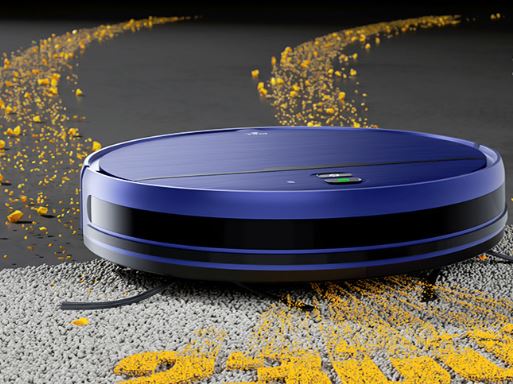
Automatic Carpet Suction
Available C800 information identifies automatic suction behavior for carpet cleaning.
Carpet places different demands on a robotic cleaner because debris can become embedded in fibers rather than remaining loosely on a hard floor.
The main brush, side brush, suction system, and wheel movement all contribute to the cleaning result.
Main Brush and Side Brush System
The side brush moves debris from edges toward the central cleaning path.
The main brush then helps collect material so that the suction system can move it into the dust bin.
Hair is one of the most common maintenance concerns for any brush-equipped robot vacuum. Long hair can wrap around brush ends and increase resistance.
Anti-Drop and Anti-Collision Sensors
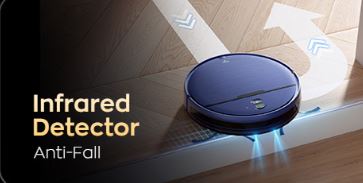
The C800 includes anti-drop sensors designed to detect drops and stairs. It also has a floor anti-collision sensor.
These sensors are important because a robot does not need advanced mapping to detect certain immediate hazards.
However, sensor-based navigation is different from LiDAR navigation and SLAM mapping. LiDAR uses laser-based distance information to construct spatial information, while SLAM systems can use sensor data to localize the robot and build or update a map.
The C800 documentation does not establish that it has those technologies.
Bottom Line: The C800’s documented approach is sensor-based automated cleaning rather than a modern LiDAR/SLAM mapping platform.
What About HEPA Efficiency and Sealed System Filtration?
The term HEPA efficiency should also be handled carefully.
A filter is not automatically a HEPA filter simply because a robot vacuum has a filter. The C800 documentation identifies a filter, but the sources reviewed here do not establish a specific certified HEPA efficiency percentage or a sealed-system filtration rating.
Therefore, avoid publishing an unsupported claim such as “99.97% HEPA filtration” for this model.
Similarly, sealed system filtration is a broader engineering concept describing how effectively a vacuum contains air leakage around the filtration path. The C800 documentation does not provide a quantified sealed-system test result.
Bottom Line: Use HEPA and sealed-filtration terminology when explaining how to compare modern vacuum systems, but do not attribute a specific HEPA efficiency or sealed-system rating to the C800 without supporting documentation.
iMartine C800 Remote Control Guide
The remote control is central to the C800 experience.
Unlike many newer smart vacuum systems, the C800 is designed around physical remote operation. The manual identifies controls for starting, pausing, directional movement, cleaning functions, scheduling, and returning to the charging dock.
That makes the C800 relatively straightforward for users who prefer buttons over smartphone applications.
Understanding the Remote Control Buttons
| Control | Function |
|---|---|
| Start/Pause | Starts or pauses cleaning |
| Direction controls | Moves the robot manually |
| Automatic cleaning | Starts an automated cleaning cycle |
| Recharge | Commands return toward the charging dock |
| Scheduling | Programs cleaning time |
| Room/cleaning control | Selects the corresponding documented cleaning function |
| Suction control | Adjusts available suction behavior where supported |
Always verify the physical button labels on your specific remote because remote revisions can vary.
How to Start and Pause Cleaning
To start cleaning, use the robot’s power/cleaning control or the corresponding Start/Pause control on the remote.
Pressing the control again pauses the cleaning cycle.
If the robot does not respond, check the battery and confirm that the main power switch is in the correct position.
How to Manually Drive the C800
Directional buttons allow you to guide the robot manually.
This can be useful when you want to move it away from furniture, guide it toward a particular area, or recover it after it has stopped.
Manual movement is also helpful during troubleshooting because it lets you determine whether the wheels respond correctly.
How to Send the C800 Back to Its Dock
Use the recharge control when you want the robot to return to the charging dock.
Successful docking depends on the dock being powered, accessible, and positioned appropriately.
If the robot repeatedly fails to find the dock, check the dock’s power connection and remove obstacles from the path.
Bottom Line: The C800’s remote is not merely an accessory; it is a major part of how this model is designed to be operated.
iMartine C800 Cleaning Modes and Scheduling
Scheduled cleaning can make a basic robot vacuum more useful because you do not have to manually start every cycle.
The C800 documentation includes a cleaning schedule function along with automatic and manual operation.
Automatic Cleaning Mode
Automatic cleaning is the normal hands-off mode.
After starting the cycle, allow the robot to work through the accessible floor area while keeping the environment reasonably free of loose obstacles.
Because the C800 does not document LiDAR mapping or multi-floor mapping, do not expect the sophisticated map-based room recognition found on newer premium robot vacuums.
Manual Cleaning Mode
Manual operation lets you direct the robot with the remote.
This is useful for targeted cleaning, repositioning, or testing whether the drive wheels and steering functions are responding.
It is also useful when you want to move the autonomous cleaner into a particular area without relying entirely on its normal navigation behavior.
Single-Room Cleaning
If your remote provides the corresponding room-cleaning function, use it according to the button instructions supplied with your unit.
The practical advantage is targeted cleaning without needing to run the robot throughout the entire home.
How to Set a Cleaning Schedule
The basic process involves setting the robot’s time and selecting the desired cleaning schedule using the remote.
Because remote layouts and instructions can vary, follow the exact sequence printed in the C800 manual accompanying your unit.
Bottom Line: Scheduling is useful for routine maintenance cleaning, but the C800 should not be confused with newer models that use app-based schedules, mapped rooms, and multi-floor mapping.
iMartine C800 Maintenance Guide
Regular maintenance is one of the easiest ways to preserve cleaning performance.
The C800 manual provides separate care instructions for the dust bin, filter, side brushes, sensors, charging contacts, and main brush.
A robot vacuum that appears to have weak suction may simply have a full dust bin or clogged brush.
How to Empty the Dust Bin
Remove the dust bin according to the manual’s procedure.
Empty accumulated debris into a suitable waste container.
Inspect the bin before reinstalling it. If debris is preventing proper seating, the robot may not operate as expected.
How to Clean the Filter
Remove the filter carefully and clean accumulated dust using the recommended cleaning method.
The goal is to prevent excessive debris from restricting airflow.
Do not reinstall a damaged filter, and do not assume that a replacement filter from another iMartine model is compatible simply because the dimensions look similar.
How to Clean the Main and Side Brushes
Turn the robot over and inspect the brushes.
Remove hair, thread, dust, and other material that may have wrapped around the brush.
The main brush can be removed using its designated tab and cleaned with the supplied cleaning tool.
Cleaning Sensors and Charging Contacts
Use a clean, dry cloth to clean the anti-drop sensors and charging contacts.
Dirty contacts can interfere with charging.
Dirty sensors can interfere with the robot’s ability to interpret its immediate environment.
Bottom Line: Dust-bin, brush, filter, sensor, and contact maintenance should be considered normal ownership rather than an occasional repair task.
iMartine C800 Battery, Charging & Runtime
Battery condition has a major effect on how an older robot vacuum behaves.
The C800 documentation identifies a 2,600mAh lithium-ion battery, a maximum charging time of 300 minutes, and a maximum working time of 120 minutes.
Those are specifications, not guarantees that every cleaning cycle will last exactly two hours.
How Long Does the C800 Take to Charge?
The documented maximum charging time is up to 300 minutes.
Actual charging behavior can depend on battery condition, temperature, electrical connection, and the state of the charging contacts.
If the robot repeatedly fails to charge, first inspect the adapter, dock indicator, and charging contacts before assuming the battery itself has failed.
How Long Does the C800 Run?
The documented maximum working time is up to 120 minutes.
Real runtime can vary depending on floor type, cleaning conditions, battery age, suction behavior, and mechanical resistance.
A five-year-old battery should not necessarily be expected to deliver the same runtime as a new battery.
How to Maintain the Battery
Keep the charging system clean and use the supplied charging equipment.
Do not expose the lithium-ion battery to excessive heat or fire.
The manual also warns against opening, shredding, or improperly handling the battery pack.
When Should You Consider Battery Replacement?
Potential warning signs include:
- Significantly reduced runtime
- Repeated failure to hold charge
- Unexpected shutdown
- Difficulty completing normal cleaning cycles
- Persistent charging problems after the dock and contacts have been checked
Bottom Line: A declining battery can make an otherwise functional robot appear defective, so charging-system checks should come before replacing unrelated components.
iMartine C800 Troubleshooting Guide
The C800 provides diagnostic information through indicator behavior and audible signals.
The manual documents solid-red and flashing-red conditions associated with the robot being stuck, hanging over a drop, or having a driving wheel that is not properly contacting the floor.
C800 Will Not Start
Check the following in order:
- Confirm the main power switch is on.
- Place the robot on the charging dock.
- Check whether it begins charging.
- Verify that the battery is correctly installed.
- Check for obvious mechanical obstruction.
The manual specifically recommends checking the power switch, charging the robot, and verifying battery installation when the robot cannot turn on.
C800 Keeps Stopping or Getting Stuck
Inspect:
- Driving wheels
- Main brush
- Side brushes
- Furniture clearance
- Cables
- Uneven flooring
- Small objects
A robot that becomes trapped underneath furniture may continue attempting movement until its sensors or wheels detect the problem.
C800 Has a Red Light or Beeps
The documented troubleshooting table provides the following general pattern:
| Indicator | Beeps | Documented condition | Corrective action |
|---|---|---|---|
| Solid red | 1 | Robot stuck | Remove obstacle |
| Solid red | 2 | Robot stuck | Remove obstacle |
| Solid red | 3 | Robot over a drop | Move to flat surface |
| Solid red | 4 | Robot stuck | Remove obstacle |
| Flashing red | 1 | Driving wheel not touching ground / stuck | Check wheels and surface |
| Flashing red | 2 | Robot stuck | Remove obstacle |
| Flashing red | 3 | Robot over a drop | Move to flat surface |
| Flashing red | 4 | Robot stuck | Remove obstacle |
These patterns come from the C800 troubleshooting documentation.
C800 Is Not Charging or Returning to the Dock
First check whether the charging dock has power.
Next, inspect the charging contacts for dust.
The manual specifically recommends checking the adapter connection, confirming the dock indicator, and cleaning charging contacts with a dry cloth.
For docking problems, also check whether furniture or other objects are blocking the robot’s route.
Bottom Line: Before replacing a battery or buying parts, follow the C800’s diagnostic sequence: power, dock, contacts, obstruction, wheels, brushes, and battery.
iMartine C800 Cleaning Problems and Performance Issues
Cleaning performance is affected by more than suction power.
Brush condition, filter cleanliness, dust-bin capacity, floor type, debris type, and battery condition all influence the final result.
C800 Is Picking Up Less Dirt
Start with the dust bin.
A full bin can reduce the practical effectiveness of the cleaning system.
Then inspect the filter and brushes for accumulated debris.
Finally, check whether the robot is operating correctly rather than repeatedly stopping.
C800 Leaves Debris Behind
Different debris types require different cleaning behavior.
Fine dust can interact differently with a filter than larger crumbs.
Long hair may become wrapped around the main brush.
Large objects can also be too substantial for a compact robot vacuum to collect consistently.
C800 Is Loud
A sudden change in operating sound deserves attention.
Inspect the main brush, side brush, wheels, and dust bin.
The manual’s troubleshooting section specifically recommends checking whether the main or side brushes are tangled and whether the dust bin is installed correctly when unusual noise occurs.
C800 Is Not Cleaning as Expected on Carpet
Check the carpet type and condition.
Inspect the main brush for hair and debris.
Confirm that the filter and dust bin are maintained.
The C800 is documented with automatic suction behavior for carpet, but this does not mean it has the advanced carpet intelligence or floor recognition found in newer AI-driven robot vacuums.
Bottom Line: When cleaning performance drops, mechanical maintenance is often a more useful first step than assuming the robot’s suction motor has failed.
iMartine C800 vs. Other iMartine Robot Vacuums
Comparing the C800 with newer iMartine products helps explain the differences between generations.
The key point is not simply which number is higher. Instead, compare navigation, controls, suction, battery, mapping, connectivity, and maintenance requirements.
iMartine C800 vs. iMartine C900
The documented C900/BR151 configuration is substantially different.
The C900 documentation lists 2,000Pa suction, a 3,200mAh battery, and up to 150 minutes of runtime in low-suction mode. It also supports app, remote, and voice control.
By comparison, the C800 documentation identifies 2,600mAh battery capacity, up to 120 minutes runtime, and remote-based operation.
| Feature | iMartine C800 | C900/BR151 documentation |
|---|---|---|
| Suction | 1600Pa | 2000Pa |
| Battery | 2600mAh | 3200mAh |
| Maximum stated runtime | 120 minutes | 150 minutes in low suction |
| Remote | Yes | Yes |
| App control | Not documented | Yes |
| Voice control | Not documented | Yes |
| Mapping | Not documented | Depends on version |
| Automatic carpet suction | Documented | Documented |
iMartine C800 vs. iMartine D900
When comparing the C800 with a D900 listing, verify the exact model number and manufacturer’s documentation.
Do not assume that accessories, batteries, filters, remotes, or software functions are interchangeable.
C800 vs. Newer iMartine Models
Newer robotic vacuums may include smartphone applications, Wi-Fi, voice assistants, mopping systems, more sophisticated obstacle avoidance, room mapping, and other automation.
For example, newer iMartine documentation includes models with app and voice control capabilities.
These features should not be automatically attributed to the C800.
What to Check Before Choosing an Alternative
Compare:
- Navigation system
- Suction specification
- Battery capacity
- Runtime
- Dust-bin capacity
- Replacement-part availability
- App support
- Voice control
- Mapping
- Floor compatibility
- Warranty
- Manufacturer support
Bottom Line: The biggest generational difference is not necessarily suction alone; it is the move from simple sensor-and-remote operation toward connected, mapped, software-driven robot vacuum systems.
iMartine C800 Replacement Parts & Accessories
Replacement parts matter particularly for an older robot vacuum.
Before purchasing anything, verify the exact model designation.
C800 Filters
Check that the replacement filter is specifically compatible with the C800.
Do not rely only on photographs because visually similar filters can have different mounting dimensions or sealing arrangements.
C800 Main Roller Brush
Inspect the main brush regularly.
If bristles are damaged, the brush is excessively worn, or repeated cleaning no longer restores its condition, replacement may be appropriate.
C800 Side Brushes
Side brushes are exposed to floor-level friction and can gradually wear.
Replace them when bristles become visibly deformed or no longer sweep effectively.
Checking Compatibility Before Buying Parts
Look for the exact C800 model reference.
Replacement listings exist for C800-compatible brush and filter components, but marketplace compatibility claims should still be checked against the model designation before ordering.
Bottom Line: Model-number verification is more reliable than assuming a part fits because it is advertised for “iMartine robot vacuums.”
Buyer’s Intent: Is the iMartine C800 Still Worth Considering?
The C800 can still be relevant to someone who wants a straightforward robot vacuum with physical remote control rather than a complicated connected ecosystem.
At the same time, buyers should understand that its documented feature set is more basic than many newer smart vacuum systems.
Reasons Someone Might Choose the C800
The documented advantages include:
- Physical remote control
- Automatic cleaning
- Cleaning scheduling
- Automatic carpet suction behavior
- Anti-drop sensors
- Automatic return/docking functionality
- Compact body
- Replaceable cleaning components
The C800’s documented dimensions are approximately 12.59 inches wide, 12.59 inches long, and 2.99 inches high, which can be useful when considering clearance under furniture.
What Buyers Should Consider Before Purchasing
An older robot can have a different ownership profile from a new model.
Battery age is important.
Replacement-part availability is important.
You should also check whether the remote, charging dock, adapter, brushes, and filter are included if buying used.
When a Different Robot Vacuum May Make More Sense
A newer robot may be more appropriate if you specifically need:
- LiDAR navigation
- SLAM mapping
- Multi-floor mapping
- AI obstacle avoidance
- Smartphone control
- Smart home integration
- Voice control
- Advanced room selection
- Vacuum-and-mop functionality
These features are category-level considerations and should be verified on the specific alternative model.
The C800 documentation does not establish that it provides LiDAR navigation, SLAM mapping, AI obstacle avoidance, or multi-floor mapping.
What to Check on a C800 Listing
Before purchasing, check:
- Exact model number
- Battery condition
- Remote control
- Charging dock
- Adapter
- Main brush
- Side brushes
- Filter
- Dust bin
- Return policy
- Replacement-part availability
- Seller’s condition description
Bottom Line: The C800 makes the most sense to evaluate as a basic remote-controlled robotic vacuum, not as a substitute for a current LiDAR-equipped smart vacuum.
iMartine C800 Safety Instructions You Should Not Ignore
Safety should come before convenience.
The C800 manual provides restrictions and precautions involving children, pets, cables, balconies, batteries, charging, and inappropriate environments.
Where You Should Not Use the C800
The robot should not be treated like an outdoor or industrial cleaning machine.
Avoid environments involving standing water or unsuitable wet conditions.
If a balcony or drop-off is present, use an appropriate physical barrier so the robot cannot access the dangerous area.
Objects to Remove Before Cleaning
Remove:
- Power cords
- Blind or curtain cords
- Clothing
- Loose papers
- Fragile objects
- Small objects
- Other items that could become trapped
This preparation is specifically recommended in the C800 manual.
Battery and Charging Safety
Use appropriate charging equipment.
Do not expose the lithium-ion battery to fire or excessive heat.
Do not open, shred, or improperly disassemble the battery pack.
Children and Pet Safety
Children should not treat the robot as a toy.
Pets can also react unpredictably to a moving robotic cleaner, particularly during the first few cleaning cycles.
Supervision is sensible when introducing the robot to a new environment.
Bottom Line: Good room preparation protects both the robot and your household.
Frequently Asked Questions About the iMartine C800 Manual
How do I use the iMartine C800 robot vacuum?
Connect and power the charging dock, install the side brushes, charge the robot, prepare the floor, and start cleaning using the robot’s power control or remote.
How do I start the iMartine C800?
Press the power/cleaning button on the robot or use the Start/Pause control on the remote.
How do I program the C800 cleaning schedule?
Use the scheduling function on the remote according to the C800 manual. Make sure the robot’s clock and desired cleaning time are configured correctly.
How do I use the C800 remote control?
The remote provides controls for starting and pausing cleaning, directional movement, scheduling, and returning the robot to the charging dock.
How do I make the C800 return to its charging dock?
Use the recharge control on the remote. Make sure the dock is powered and that the route to the dock is not blocked.
Why is my iMartine C800 not charging?
Check the power adapter, charging dock, indicator light, and charging contacts. Clean dusty contacts with a dry cloth and verify that the robot is correctly positioned on the dock.
Why does my C800 keep stopping?
Check whether the robot is stuck, whether a wheel is lifted, whether the main or side brushes are tangled, and whether an object is blocking its movement.
What does the red light mean on the C800?
The red indicator is used for troubleshooting conditions. Depending on whether it is solid or flashing and how many beeps occur, the manual identifies conditions such as being stuck, hanging over a drop, or having a driving wheel that is not contacting the floor.
How often should I clean the C800 filter?
Clean the filter as part of regular robot maintenance, particularly when dust accumulation becomes noticeable or cleaning performance declines. Follow the original manual’s care instructions for the specific filter supplied with your unit.
How long does the iMartine C800 battery last?
The documented maximum working time is up to 120 minutes, while the battery capacity is 2,600mAh. Actual runtime depends on operating conditions and battery age.
Can the iMartine C800 clean carpets?
Yes. The C800 is documented for hard-floor and carpet use, with automatic suction behavior associated with carpet cleaning.
Does the iMartine C800 have LiDAR navigation?
The documentation reviewed for the C800 does not identify LiDAR navigation.
Does the C800 use SLAM mapping?
The available C800 documentation does not document SLAM mapping or room-map generation.
Does the C800 have AI obstacle avoidance?
The C800 has documented anti-drop and anti-collision sensing, but that should not be described as modern AI obstacle avoidance without model-specific evidence.
Does the C800 support multi-floor mapping?
No multi-floor mapping capability is documented in the sources reviewed for the C800.
Does the C800 support smart-home integration?
The C800 documentation reviewed here centers on remote control rather than Alexa, Google Home, or smartphone smart-home integration. Newer iMartine models have documented app and voice-control features, but those should not be transferred to the C800.
What is the C800’s dust-bin capacity?
The listed dust-bin capacity is 0.55 liters / 550ml.
What is the C800 charging time?
The manual lists a maximum charging time of 300 minutes, or approximately 5 hours.
What is the C800 noise specification?
The manual lists noise at less than 65dB.
Where can I find replacement parts for the C800?
Look for parts explicitly identifying compatibility with the C800. Verify the exact model before purchasing filters, brushes, batteries, or other components.
iMartine C800 Manual Quick Reference
| Task | Quick action |
|---|---|
| Start cleaning | Press the robot power/cleaning button or remote Start/Pause |
| Pause | Press Start/Pause |
| Manual movement | Use remote directional controls |
| Return to dock | Use recharge control |
| Empty dust bin | Remove and empty the dust bin |
| Clean filter | Remove accumulated debris according to manual instructions |
| Clean main brush | Remove brush and clear hair/debris |
| Clean side brushes | Remove tangled material and inspect bristles |
| Clean sensors | Use a clean, dry cloth |
| Charging problem | Check adapter, dock and charging contacts |
| Robot stuck | Remove obstruction and inspect wheels |
| Red indicator | Use the documented beep/indicator troubleshooting table |
Final Takeaway
The iMartine C800 is a relatively straightforward robotic vacuum built around automated cleaning, physical remote control, brushes, suction, sensors, scheduling, and automatic charging.
Its documented specifications include 1,600Pa suction, 2,600mAh battery capacity, up to 120 minutes working time, up to 300 minutes charging time, and a 550ml dust bin.
The most important maintenance tasks are keeping the dust bin, filter, main brush, side brushes, sensors, and charging contacts clean.
For troubleshooting, start with simple physical checks before assuming an electronic failure: inspect the power supply, charging dock, contacts, wheels, brushes, dust bin, and floor conditions.
Most importantly, don’t confuse the C800 with newer robotic vacuums that use LiDAR navigation, SLAM mapping, AI obstacle avoidance, multi-floor mapping, CFM-tested airflow, quantified Water Lift, advanced HEPA efficiency, sealed-system filtration, or smart-home integration. Those are useful comparison concepts, but they are not automatically C800 features.
For a buyer considering this model today, the key question is therefore not simply how much suction the robot has. It is whether its remote-controlled, sensor-based cleaning system provides the functions you actually need, and whether the specific unit you are buying has a healthy battery, working dock, remote, brushes, filter, and accessible replacement parts.